Smart Home Security for Renters
Renters often assume smart security means drilling holes or negotiating with a landlord, but many effective options require no permanent changes. This guide to smart home security for renters covers devices and habits that protect a home you do not own.
Check your lease and talk to the landlord
Read the lease for rules on alterations and shared areas, and ask permission before installing anything that affects common spaces or entrances. Many landlords welcome non-damaging upgrades, and some will share responsibility for key and lock changes.
Renter-friendly devices
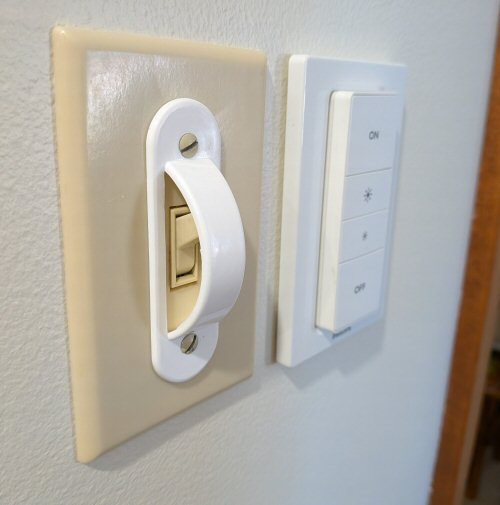
Adhesive-mounted video doorbells, plug-in cameras, window and door contact sensors, and portable alarms install without tools. Smart plugs and lights on timers give the appearance of someone being home. Door security bars and wedge alarms add inexpensive physical protection.
Locks and entry security
Some smart lock models replace only the interior thumb turn, leaving the exterior hardware and key untouched. Ask about rekeying when you move in so previous tenants cannot enter. Keep a spare key with someone you trust rather than hiding it outside.
Network and privacy basics
Secure the Wi-Fi with a unique password, use a separate guest network for visitors and smart devices, and enable two-factor authentication on camera accounts. Position indoor cameras thoughtfully and tell guests about them.
Moving out
Remove adhesive devices carefully, delete stored footage, factory reset hardware, and sign out of accounts before you hand over the keys. Taking your system with you protects both your investment and your privacy.
Key takeaways
- Check your lease and talk to the landlord: Read the lease for rules on alterations and shared areas, and ask permission before installing anything that affects common spaces or entrances. Many landlords welcome non-damaging upgrades, and some will share responsibility for key and lock changes.
- Renter-friendly devices: Adhesive-mounted video doorbells, plug-in cameras, window and door contact sensors, and portable alarms install without tools. Smart plugs and lights on timers give the appearance of someone being home.
- Locks and entry security: Some smart lock models replace only the interior thumb turn, leaving the exterior hardware and key untouched. Ask about rekeying when you move in so previous tenants cannot enter.
- Network and privacy basics: Secure the Wi-Fi with a unique password, use a separate guest network for visitors and smart devices, and enable two-factor authentication on camera accounts. Position indoor cameras thoughtfully and tell guests about them.
- Moving out: Remove adhesive devices carefully, delete stored footage, factory reset hardware, and sign out of accounts before you hand over the keys. Taking your system with you protects both your investment and your privacy.
Putting it into practice
To apply this in your own organization, begin with a short assessment of where you stand on smart home security for renters today. Write down who owns it, which tools are involved, and the single biggest gap. Fix the highest-risk gap first, assign a clear date, and review progress after thirty days. Share what you learn with the team so improvements stick, and document the decisions you make so new staff can follow them. Revisit the topic every quarter, because threats, tools, and business needs change quickly, and small regular adjustments are far easier than large emergency fixes.
Frequently asked questions
Can I install a camera in a rental?
Usually inside your own unit, but check the lease and local law, especially for common areas.
Are battery devices reliable?
Yes, with regular battery checks and notifications turned on.
Final thoughts
Renters can build solid security with portable, non-damaging tools and good digital habits. Start small, get permission where needed, and take your system with you.
Keep reading
- Smart Security
How Long Should You Keep Security Footage?
- Smart Security
IoT Device Security for Small Offices
- Smart Security
Night Vision Cameras Explained
- Smart Security
Working Securely on Public Wi-Fi