Mobile Device Management for Small Businesses
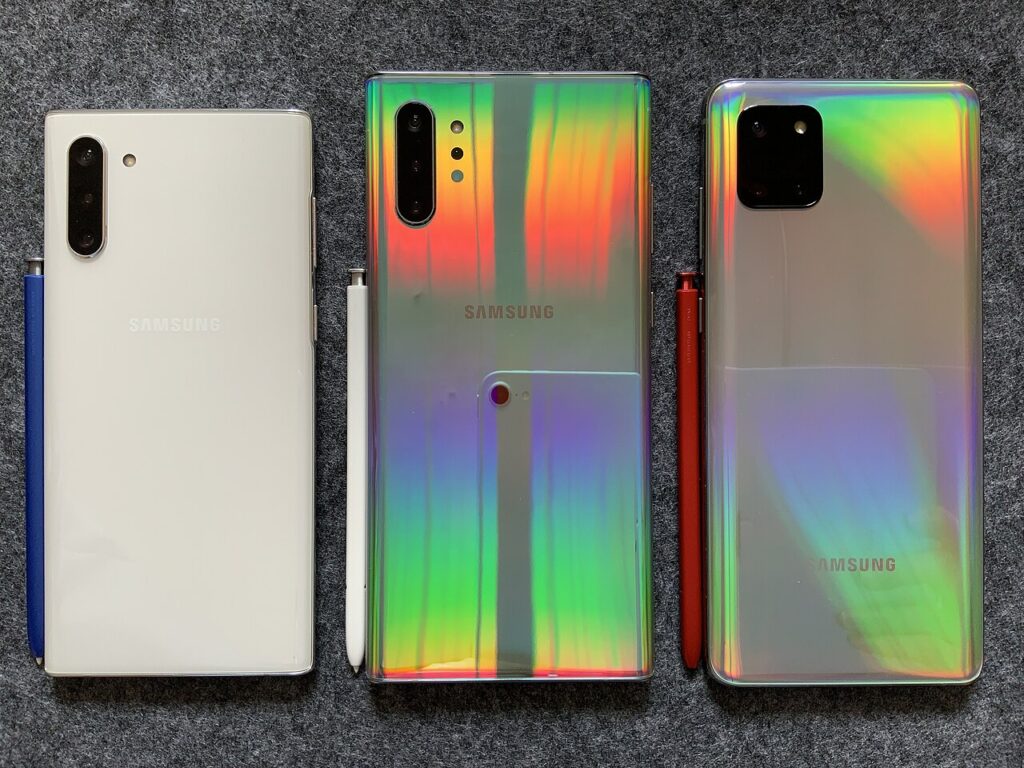
Phones and tablets now hold email, files, and customer data, yet many small businesses leave them unmanaged. Mobile device management, or MDM, gives you control over those devices without needing a large IT department. This guide explains what MDM does and how to choose and use it.
What mobile device management does
MDM software enrolls devices into a central console where administrators enforce settings and apps. You can require screen locks, encryption, and updates, push business apps, and separate work data from personal data. If a device is lost, you can lock it or wipe company information remotely. These controls shrink the risk of a stolen phone becoming a data breach.
Company-owned versus personal devices
Company-owned devices can be fully managed, while personal devices usually use lighter work profiles that protect business data without touching personal photos or messages. Clear policies explain what the company can and cannot see. Transparency builds trust and improves adoption, especially under a bring-your-own-device program.
Features worth looking for
Prioritize easy enrollment, support for iOS and Android, remote wipe, app management, compliance reporting, and integration with your identity provider. Conditional access, which blocks unhealthy devices from company apps, adds strong protection. Pricing is usually per device per month, so check minimums and support options.
Setting up MDM step by step
Define your policy first: required passcode length, encryption, allowed apps, and what happens at offboarding. Pilot with a few users, refine settings, then enroll everyone with clear instructions. Review compliance reports monthly and update policies when operating systems change.
Costs and alternatives
Business plans from Microsoft Intune, Jamf, and several lighter vendors cover most needs, and some suites include basic MDM already. If you have only a handful of devices, built-in management features in your productivity suite may be enough.
Policies every MDM setup should include
At minimum require a passcode of six or more digits, automatic screen lock, device encryption, and operating system updates within a set window. Block jailbroken or rooted devices, restrict installation of untrusted apps, and define what happens when a device is lost or an employee leaves. Put these rules in a plain-language policy employees sign, so expectations are clear and enforcement feels fair.
Handling lost or stolen devices
Act quickly: lock the device remotely, display a contact message, and if recovery looks unlikely, wipe company data. Reset passwords for accounts used on the phone and review sign-in logs for suspicious activity. Record the incident and any data that may have been exposed, since some regulations require notification. Practice the steps once so staff know exactly whom to call the moment something goes missing.
Key takeaways
- What mobile device management does: MDM software enrolls devices into a central console where administrators enforce settings and apps. You can require screen locks, encryption, and updates, push business apps, and separate work data from personal data.
- Company-owned versus personal devices: Company-owned devices can be fully managed, while personal devices usually use lighter work profiles that protect business data without touching personal photos or messages. Clear policies explain what the company can and cannot see.
- Features worth looking for: Prioritize easy enrollment, support for iOS and Android, remote wipe, app management, compliance reporting, and integration with your identity provider. Conditional access, which blocks unhealthy devices from company apps, adds strong protection.
- Setting up MDM step by step: Define your policy first: required passcode length, encryption, allowed apps, and what happens at offboarding. Pilot with a few users, refine settings, then enroll everyone with clear instructions.
- Costs and alternatives: Business plans from Microsoft Intune, Jamf, and several lighter vendors cover most needs, and some suites include basic MDM already. If you have only a handful of devices, built-in management features in your productivity suite may be enough.
- Policies every MDM setup should include: At minimum require a passcode of six or more digits, automatic screen lock, device encryption, and operating system updates within a set window. Block jailbroken or rooted devices, restrict installation of untrusted apps, and define what happens when a device is lost or an employee leaves.
- Handling lost or stolen devices: Act quickly: lock the device remotely, display a contact message, and if recovery looks unlikely, wipe company data. Reset passwords for accounts used on the phone and review sign-in logs for suspicious activity.
Frequently asked questions
Can MDM see my personal data?
On personal devices, work-profile setups limit visibility to business apps and settings.
What happens when an employee leaves?
Administrators can remove company data and accounts while leaving personal content intact.
Final thoughts
MDM turns scattered phones into managed, protected business tools. Define clear policies, pick a tool that fits your size, and review compliance regularly.
Keep reading
- Endpoint Security
An Endpoint Security Checklist for New Startups

- Endpoint Security
Disk Encryption Basics for Laptops
- Endpoint Security
DNS Security Basics for Small Networks
- Endpoint Security
AI Will Change Most IT Jobs: How to Prepare