Critical Path Software: What to Look For and Seven Options
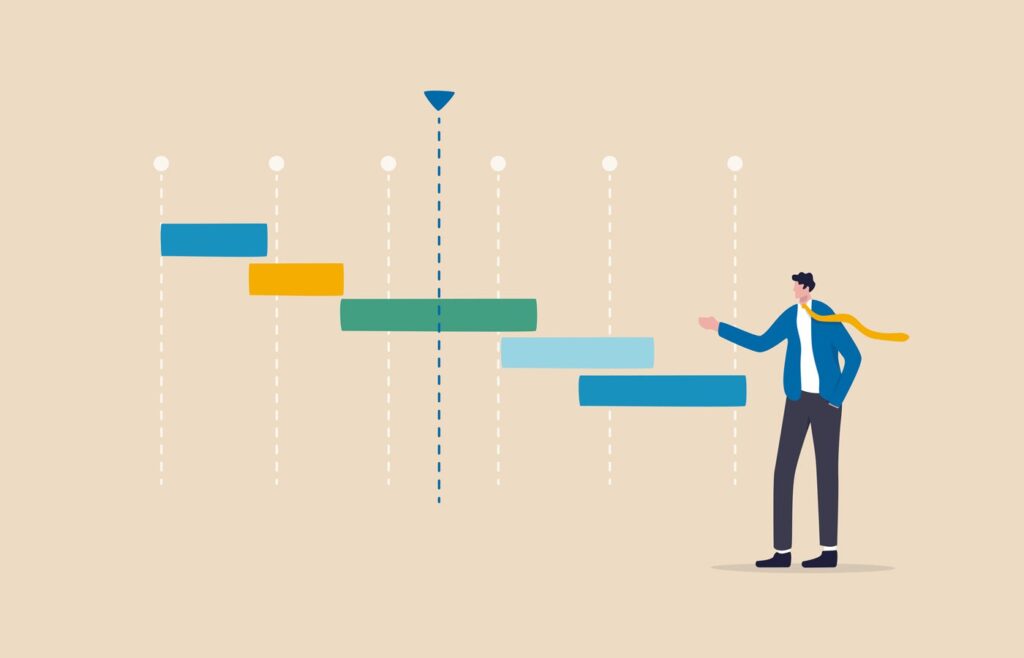
Critical path software helps project managers identify the sequence of tasks that determines a project’s finish date. When one of those tasks slips, the whole schedule slips, so seeing them clearly is essential. This overview explains how critical path tools work and what to look for when choosing one for 2024.
What the critical path method does
The critical path method maps every task, its duration, and its dependencies, then calculates the longest chain of dependent work. Tasks on that chain have zero float, meaning any delay pushes back the end date. Tasks off the chain have slack and can move without consequence. Software automates these calculations and recalculates instantly when dates change, which is far more reliable than updating a spreadsheet by hand.
Key features to look for
Prioritize automatic critical path highlighting, Gantt charts with dependency links, baseline comparison, resource leveling, and what-if scenario tools. Collaboration features such as comments, notifications, and shared dashboards keep teams aligned. For larger programs, look for portfolio views and integrations with time tracking and finance tools. Make sure the tool exports to formats stakeholders already use.
Popular categories of tools
Enterprise schedulers like Microsoft Project and Primavera P6 offer deep scheduling control and suit construction and engineering. Cloud platforms such as Smartsheet, Wrike, and TeamGantt are easier to adopt and friendlier for cross-functional teams. Lightweight options and open source tools cover small projects with simple dependencies. Pick the category that matches your project complexity rather than the longest feature list.
Getting the most from the software
Build a realistic task list with honest duration estimates, link dependencies carefully, and set a baseline before work begins. Review the critical path weekly and talk about risks to those tasks specifically. Update progress consistently, because the output is only as accurate as the input. Use scenarios to test the impact of delays or added resources before committing to changes.
Pricing and team considerations
Costs range from free tiers for small teams to enterprise licenses priced per user per month, so estimate how many people will edit schedules versus simply view them. Viewer seats are often cheaper. Consider training time as a real cost: powerful schedulers take weeks to master, while cloud tools can be productive in days. Also check how well the software handles large task counts, since performance can degrade on multi-thousand-line schedules. Pilot with a real project before rolling out company-wide.
Key takeaways
- What the critical path method does: The critical path method maps every task, its duration, and its dependencies, then calculates the longest chain of dependent work. Tasks on that chain have zero float, meaning any delay pushes back the end date.
- Key features to look for: Prioritize automatic critical path highlighting, Gantt charts with dependency links, baseline comparison, resource leveling, and what-if scenario tools. Collaboration features such as comments, notifications, and shared dashboards keep teams aligned.
- Popular categories of tools: Enterprise schedulers like Microsoft Project and Primavera P6 offer deep scheduling control and suit construction and engineering. Cloud platforms such as Smartsheet, Wrike, and TeamGantt are easier to adopt and friendlier for cross-functional teams.
- Getting the most from the software: Build a realistic task list with honest duration estimates, link dependencies carefully, and set a baseline before work begins. Review the critical path weekly and talk about risks to those tasks specifically.
- Pricing and team considerations: Costs range from free tiers for small teams to enterprise licenses priced per user per month, so estimate how many people will edit schedules versus simply view them. Viewer seats are often cheaper.
Frequently asked questions
Is the critical path always the same?
No. It can change as tasks finish early or late, so review it regularly.
Do agile teams need critical path tools?
Mostly for projects with fixed deadlines and heavy dependencies, such as hardware or construction work.
Final thoughts
Critical path software gives project managers a clear picture of where schedule risk really lives. Choose a tool that fits your project size, keep data current, and focus attention on the tasks that truly control your deadline.
Keep reading
- Business Software
Call Center Software: Features and Six Contenders

- Business Software
VoIP Security Risks and Fixes

- Business Software
How to Build a Cybersecurity Budget

- Business Software
Ooma Business Phone Review: Pricing, Features and Alternatives